
Download Wandering IPs – IP tracking, network monitoring, geolocation, 3D map, data routing, TCP connections, security analysis, network visualization, remote IP, internet connectivity, network performance, data packet journey
Overview
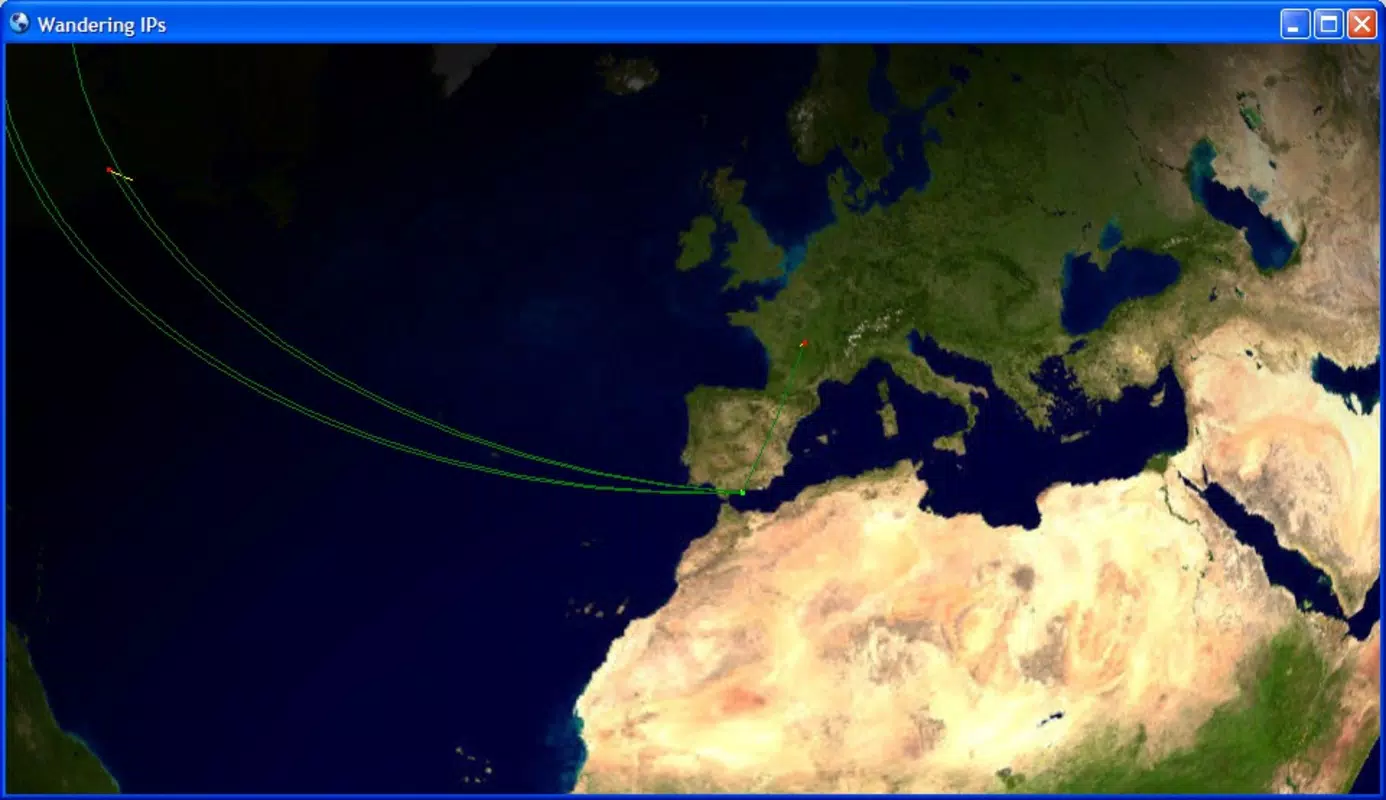
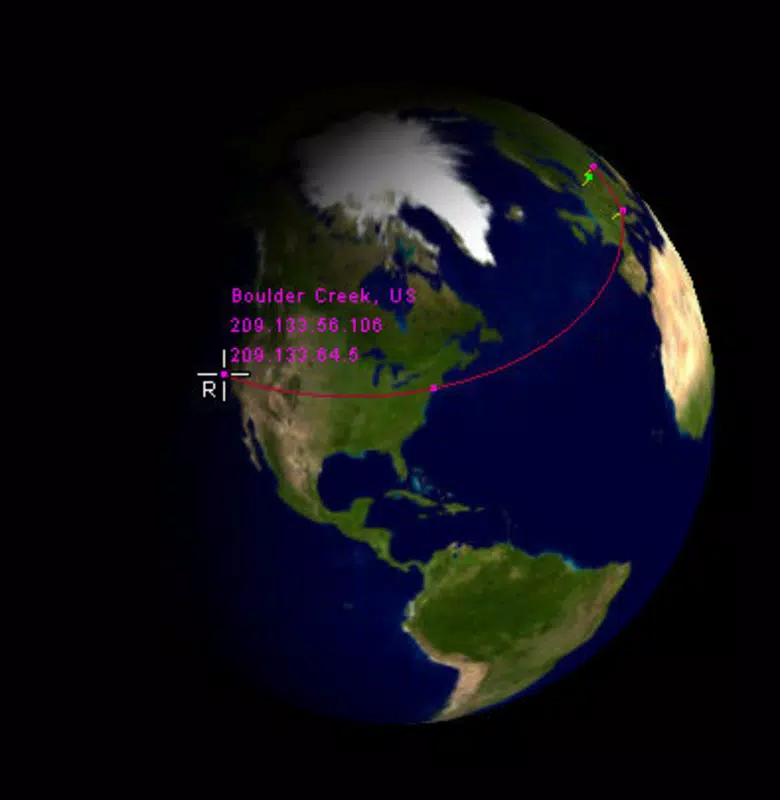
Wandering IPs is a specialized utility designed to track and visualize the geographic journey of IP addresses across the internet. By monitoring TCP connections originating from a user’s PC, the application identifies remote IP addresses and maps their locations in real time on a dynamic 3D globe. This functionality provides users with a visual representation of how data travels across global networks, offering insights into routing paths and connection patterns. The tool is particularly useful for individuals interested in understanding the physical infrastructure behind digital communication, including network administrators, cybersecurity enthusiasts, and curious tech users.
Wandering IPs addresses the need for transparent, visual network analysis by transforming complex data into an intuitive and engaging format. It enables users to observe the geographical spread of their internet activity, detect anomalies in connection sources, and assess potential risks associated with remote endpoints. The application serves as a lightweight yet powerful diagnostic and educational resource, helping users gain a deeper awareness of their digital footprint and network behavior. Developed by Jason A. Bilbrey, the app reflects a focused approach to network visualization with a clear purpose: to make internet routing more tangible and accessible.
Although the developer did not provide additional technical details, the app’s long-standing presence since 2012 suggests stability and reliability within its niche. It remains relevant for users seeking a simple way to explore network interactions without the complexity of enterprise-grade tools. Its value lies in its ability to turn abstract network data into a visually compelling experience, enhancing both understanding and engagement with internet connectivity.
Key Features & Functionality
- Real-time IP Tracking: Wandering IPs continuously monitors active TCP connections from the user’s system, capturing incoming and outgoing interactions with remote servers. This allows users to see immediate updates on which IP addresses are being accessed and how frequently.
- 3D Earth Visualization: The application presents connection data on an interactive 3D globe, displaying each remote IP’s location with pinpoint accuracy. This visual format enhances comprehension and makes network activity more intuitive to interpret.
- Data Route Analysis: By tracing the path of data packets between source and destination points, Wandering IPs reveals the sequence of network hops, providing insights into routing efficiency and potential bottlenecks.
- User-Friendly Interface: Despite its technical capabilities, the app features a clean, minimal interface that prioritizes clarity and ease of use. Navigation is straightforward, enabling users of varying technical skill levels to access and interpret data without extensive training.
- Geographic Identification: Each remote IP is mapped to its corresponding geographic region, including country, city, and approximate coordinates. This feature supports security analysis by flagging unexpected or high-risk locations.
For example, a user connecting to a cloud service may observe connections originating from multiple countries, revealing how data is routed through international servers. Similarly, a network analyst could use the tool to detect unusual traffic patterns, such as repeated connections to a single foreign IP, which might indicate a security concern. The combination of real-time monitoring and visual feedback makes Wandering IPs a practical tool for both educational and diagnostic purposes.
Interface, UX & Performance
The user interface of Wandering IPs is designed with simplicity and clarity in mind. The main window centers around a rotating 3D Earth model, with interactive markers indicating the locations of active or recent IP connections. Navigation is intuitive, with minimal menus and clear labeling, allowing users to focus on the visual data without distraction. The layout prioritizes real-time updates, ensuring that new connections are reflected promptly on the map.
Although the developer did not list formal performance metrics, the application’s file size of 3.5 MB suggests it is lightweight and optimized for efficient operation. It is likely to run smoothly on a range of Windows systems, including older hardware, without consuming excessive memory or processing power. Responsiveness appears to be a core design goal, as the 3D map updates in real time with minimal lag, even during periods of high network activity.
Stability is another key aspect of the user experience. Given the app’s release date in 2012 and continued availability, it has demonstrated reliability over time. While no specific compatibility details were provided, the application’s long-term presence indicates consistent performance across various Windows environments. Users can expect a stable, predictable experience with minimal crashes or errors.
Platform Compatibility & Technical Requirements
Wandering IPs is designed exclusively for the Windows platform. The current version, 1.2.0, has a file size of 3.5 MB, making it a compact and lightweight utility. The developer did not specify minimum OS requirements, nor did they list compatibility with specific Windows versions beyond the general platform.
Given the app’s release date in 2012, it is likely compatible with Windows 7 and later versions. However, users should exercise caution when installing on newer systems, as older applications may encounter compatibility issues with updated security protocols or system architecture. The absence of detailed technical specifications means that users should proceed with awareness of potential limitations on modern Windows environments.
There is no indication that the app requires administrative privileges or additional software dependencies. Its standalone nature simplifies installation and reduces the risk of conflicts with other programs. For users seeking a no-frills tool for IP tracking, this simplicity is a significant advantage.
Pros and Cons
- Lightweight design with minimal system resource usage
- Real-time visualization of IP connections on a 3D globe
- Intuitive interface suitable for non-technical users
- Free to download and use with no in-app purchases
- Offers insights into network routing and security patterns
- No official support for macOS or Linux platforms
- Platform-specific compatibility not clearly documented
- Outdated release date may raise concerns about modern system integration
- Limited feature set compared to enterprise network tools
- No automatic update notifications or version check
FAQ
Is Wandering IPs safe to install on my computer?
Yes, the application is free and available from its official developer. It does not contain known malware or intrusive components. However, as with any software, users should ensure they download it from trusted sources.
Can I use Wandering IPs on Windows 10 or Windows 11?
While the developer did not specify compatibility with newer Windows versions, the app has been in use since 2012 and may function on modern systems. Users are advised to test it in a safe environment if unsure.
Does Wandering IPs require internet access to work?
Yes, the application monitors active TCP connections, which means it requires an active internet connection to track and display remote IP locations.
How often does the app update its data?
Wandering IPs updates connection data in real time as TCP sessions are established or terminated. The 3D map reflects changes immediately, providing up-to-the-minute insights.
Is there a mobile version of Wandering IPs?
Currently, Wandering IPs is only available for Windows. There is no official mobile version for Android or iOS devices.
Final Thoughts
Wandering IPs stands out as a niche yet powerful utility for users interested in visualizing the physical journey of their internet traffic. Its ability to map IP addresses on a 3D Earth in real time offers a unique perspective on network activity, combining education, diagnostics, and curiosity. While it lacks modern features like cloud integration or automated alerts, its simplicity and focus make it a reliable tool for basic network monitoring and geolocation analysis.
It is ideal for students, hobbyists, and professionals who want to understand how data moves across the globe without the complexity of advanced network tools. The fact that it remains free and lightweight adds to its appeal. For those seeking a straightforward, no-cost solution for IP tracking and network visualization, Wandering IPs delivers real value.
Download Wandering IPs now


